Decision Log Excel Template: Keep Your Business Decisions Organized
Running a business or managing a project means making decisions every day. Some are small, like choosing a vendor, while others are big, like launching a new product line. Keeping track of these choices can be challenging—especially when multiple people are involved. That’s where the Decision Log Excel Template comes in. It’s a simple yet powerful tool that helps you document, track, and review decisions in one place.
Whether you're running a startup, leading a team, or handling internal operations, this template ensures that no decision gets lost in the shuffle. It allows you to record who made the choice, why it was made, and what the outcome was. This kind of clarity is invaluable for accountability, communication, and future planning.
When and Where to Use a Decision Log Excel Template
Imagine you're managing a marketing campaign. You decide to run a social media ad, change your target audience, or shift your budget allocation. Without a clear record, it's easy to forget the reasoning behind each move. A Decision Log Excel Template gives you a structured way to capture all this information.
This tool is especially useful in situations where:
- You need to justify a decision to stakeholders or upper management
- Multiple team members are involved in decision-making
- You want to evaluate past choices to improve future outcomes
- There’s a need for transparency across departments or projects
It’s also helpful in creative fields. For example, a content creator might use the template to track editorial decisions, such as which blog topics to prioritize or which design elements to include in a video. In education, a teacher could log classroom management decisions or curriculum changes.
Real-World Use Cases for the Decision Log Excel Template
Let’s look at a few practical examples of how different users might benefit from this template:
Project Managers
As a project manager, you’re constantly making trade-offs. Should we extend the deadline? Do we hire an outside consultant? The Decision Log Excel Template helps you keep a record of these calls. If a decision doesn’t go as planned, you can refer back to the rationale and adjust accordingly.
Small Business Owners
Running a small business often means making quick decisions. Maybe you had to pivot your business model during a slow season or choose between two suppliers. A decision log can help you track these moments and provide a reference for future strategy.
Consultants and Freelancers
Freelancers and consultants work with multiple clients, each with unique needs. Tracking decisions—like which tools to recommend or how to structure a proposal—can streamline your workflow. It also helps you demonstrate value to clients by showing how your choices align with their goals.
Teams and Departments
In larger organizations, decisions are often made collectively. A shared Decision Log Excel Template ensures everyone is on the same page. It reduces confusion and keeps records accessible for audits, reviews, or knowledge transfer.
What Makes the Decision Log Excel Template Useful?
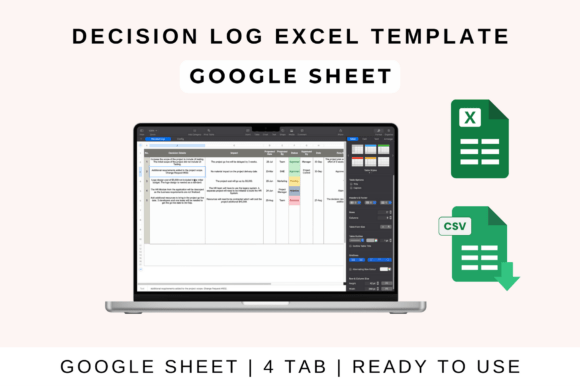
The power of the Decision Log Excel Template lies in its simplicity. It doesn’t require advanced Excel skills to use. Most versions include columns for:
- Decision Description: What was decided?
- Owner: Who was responsible?
- Date: When was the decision made?
- Status: Is it pending, approved, rejected, or implemented?
- Rationale: Why was the decision made?
This format makes it easy to scan through past decisions and understand the context. It also helps teams avoid repeating the same mistakes or missing important steps.
How to Get Started with the Decision Log Excel Template
Using the template is straightforward. If you prefer Google Sheets, you can upload the file to Google Drive and open it directly in the web app. For those who work in Microsoft Excel, downloading the file and opening it on your desktop is just as simple.
Once you have the template open, start by entering the details of your first decision. Fill in the description, assign ownership, note the date, and explain the reasoning. As more decisions come in, the log becomes a living document that grows with your work.
Customization is another key feature. You can add more columns, adjust formulas, or change the layout to match your specific needs. Sharing the file with your team also makes collaboration easier, ensuring everyone has access to the same information in real time.
Things to Consider Before Using the Decision Log Excel Template
Before jumping into using the template, think about how it fits into your current workflow. Are you already using other project management tools? Will this template complement them or create extra work? It’s also important to set expectations with your team—everyone should know how and when to update the log.
Another consideration is data security. If you’re sharing the file online, make sure it’s stored in a secure location and that only authorized people have access. Regular backups can also prevent data loss.
Why the Decision Log Excel Template Matters
At its core, the Decision Log Excel Template is about clarity and control. It turns abstract decisions into tangible records that support better communication, accountability, and long-term planning. Whether you're managing a team, running a business, or working on a creative project, having a clear log of your choices can make a big difference.
By using this tool, you’re not just tracking decisions—you’re building a foundation for smarter, more informed choices in the future. And that’s something every professional, creator, or business owner can appreciate.