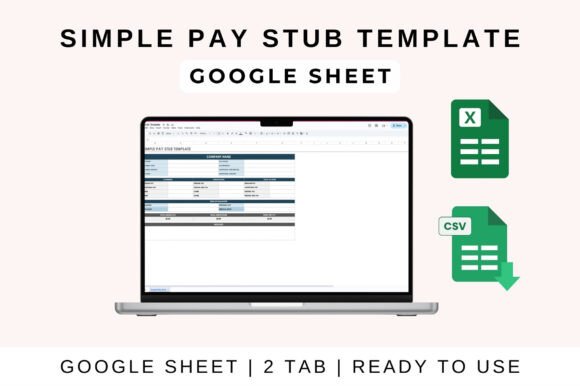
Simple Pay Stub Template: A Streamlined Solution for Accurate Payroll Management
For small businesses and independent professionals, managing payroll can be a complex task. However, with the right tools, it doesn’t have to be. The Simple Pay Stub Template offers an easy-to-use solution that simplifies the process of generating professional and accurate pay stubs for employees, freelancers, or contractors. Whether you're running a small business or handling your own freelance income, this template is designed to save time, reduce errors, and improve record-keeping.
The Simple Pay Stub Template includes all essential sections such as employee details, earnings, deductions, and net pay—formatted clearly for print or digital use. This makes it ideal for small businesses and payroll departments looking to streamline their processes without investing in expensive software.
Key Features of the Simple Pay Stub Template
The Simple Pay Stub Template is packed with features that make it a versatile tool for payroll management. One of its most valuable attributes is the auto-calculation of gross pay, deductions, and net pay. This feature ensures that your numbers are always accurate, reducing the risk of manual errors and saving you time on calculations.
In addition to automated calculations, the template has a clean layout that makes it easy to print or share as a PDF. This is especially useful if you need to provide physical copies to employees or keep digital records for tax purposes. The design is straightforward, allowing users to quickly locate important information without getting lost in complicated formatting.
The template also includes fields for essential data such as employee name, ID, pay period, taxes, and more. These customizable fields ensure that the template can be adapted to suit different payroll needs, whether you’re paying hourly workers, salaried employees, or independent contractors.
Another significant advantage is the ability to fully customize the template for both hourly and salaried workers. This flexibility means that no matter the type of employment arrangement, the Simple Pay Stub Template can accommodate your requirements. You can adjust categories, formulas, and visuals to match your specific needs, making it a highly adaptable tool.
Compatibility and Ease of Use
The Simple Pay Stub Template works seamlessly with popular spreadsheet programs like Google Sheets and Excel. This compatibility ensures that users can access and manage their payroll data from virtually anywhere, whether they're working from a desktop, laptop, or mobile device.
Using the template in Google Sheets is straightforward. Start by uploading the file to Google Drive and opening it in Google Sheets. Once open, you can enter your data directly into the relevant categories. The sheet will automatically calculate totals, profit, and loss, giving you a clear overview of your payroll expenses and income. You can then customize the template further by adjusting categories, formulas, and visuals to better fit your workflow. Additionally, sharing the sheet with your team is simple, allowing for real-time collaboration and updates.
If you prefer using Microsoft Excel, the process is similarly user-friendly. Download the Excel version of the template and open it on your desktop. If prompted, enable editing to begin inputting your data. Like with Google Sheets, the template will handle the calculations, and you can modify it to suit your specific needs. This makes it an excellent choice for those who are more comfortable with traditional spreadsheet software.
Practical Benefits for Small Businesses and Freelancers
Small businesses often face challenges when it comes to managing payroll efficiently. The Simple Pay Stub Template addresses these challenges by offering a cost-effective and user-friendly alternative to complex payroll systems. By using this template, business owners can maintain accurate records without the need for expensive software or additional staffing.
Freelancers and independent contractors also benefit from the Simple Pay Stub Template. It allows them to generate professional-looking pay stubs for clients, ensuring transparency and clarity in payment arrangements. This is particularly useful when invoicing or providing proof of income for loans, rental applications, or other financial obligations.
Moreover, the template supports better organization and compliance. With clear sections for earnings, deductions, and net pay, users can easily track income and expenses. This level of detail is crucial for tax reporting and helps ensure that all financial records are up to date and accurate.
Integrating the Template into Your Workflow
One of the greatest strengths of the Simple Pay Stub Template is its ability to integrate smoothly into modern workflows. Whether you're managing a small team or working independently, the template can be customized to fit your specific processes. For example, you can set up recurring pay periods, adjust tax rates based on location, or add custom fields for unique payroll scenarios.
Additionally, the template’s compatibility with cloud-based platforms like Google Sheets makes it easy to access and update payroll information from multiple devices. This is especially beneficial for remote teams or businesses with a distributed workforce. The ability to collaborate in real time ensures that everyone involved in payroll management stays informed and up to date.
When considering how to implement the Simple Pay Stub Template, it's important to take into account your specific needs. For instance, if you frequently work with international clients, you may need to adjust the template to reflect different tax regulations or currency formats. However, the template’s customizable nature allows for these adjustments without requiring advanced technical skills.
Recommendations for Optimal Use
To get the most out of the Simple Pay Stub Template, consider the following recommendations:
- Regular Updates: Ensure that the template is updated regularly to reflect changes in tax laws, pay rates, or employee information.
- Backup Copies: Keep backup copies of your payroll data to prevent loss in case of technical issues or accidental deletions.
- Training: If you're using the template with a team, provide basic training to ensure everyone understands how to input and manage data effectively.
- Review and Audit: Periodically review and audit your payroll records to identify any discrepancies or areas for improvement.
By following these best practices, you can maximize the efficiency and accuracy of the Simple Pay Stub Template, ensuring that it remains a valuable asset to your business or personal finances.